Treasure Hunters Season · Chapter 7

Count your chests
Analyze your treasures
Discover those of your rivals

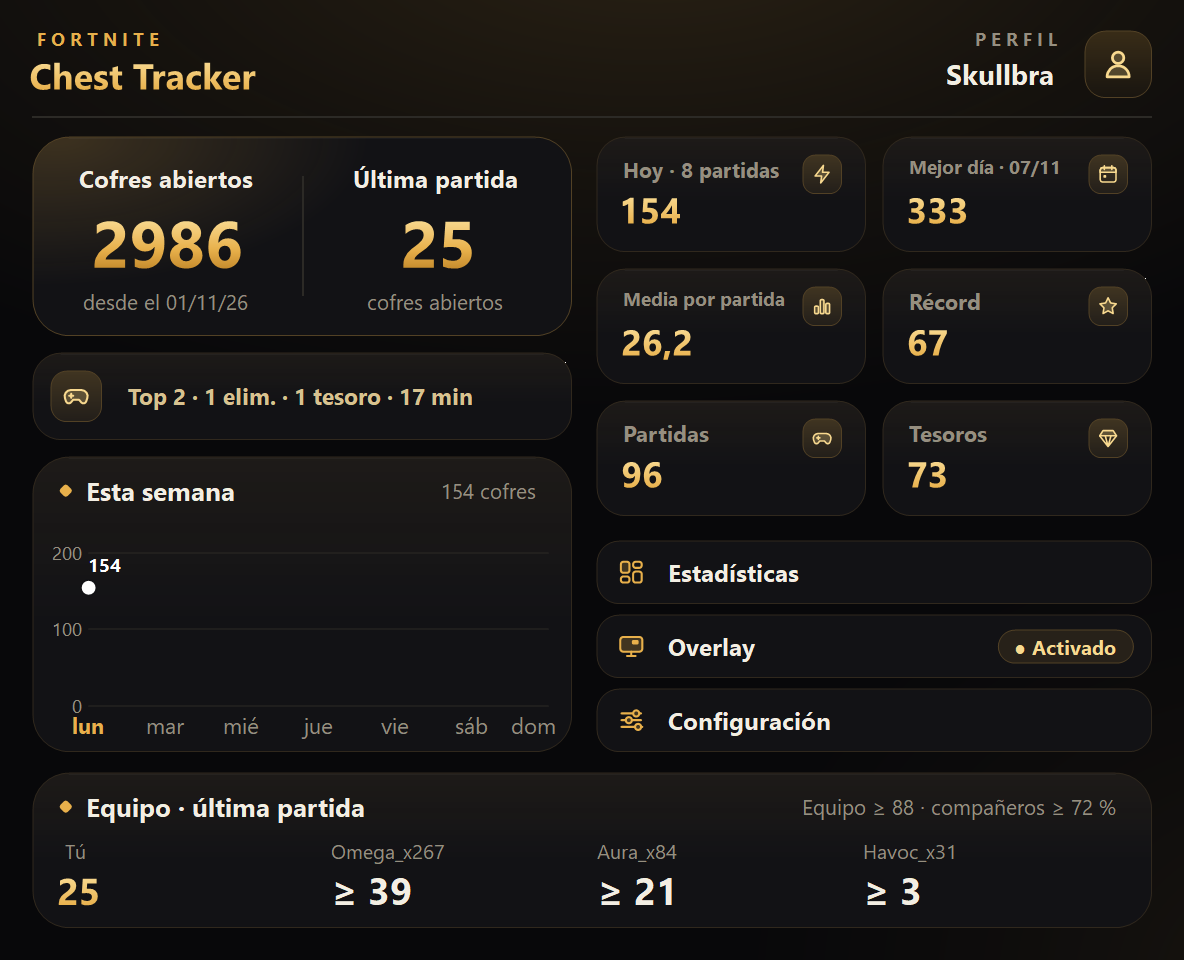
You play; FCT tracks the rest. Your chests past and present, the treasures you loot, and what nearby rivals discover around you.
Download FCT Free For Windows 10 & 11 · Portable standalone executable (.exe)
100% Safe
No install needed (Portable)
Open Source on GitHub
📱 On mobile? Copy the link to download it when you hop on your PC.
Ventana principal de Fortnite Chest Tracker
Overlay
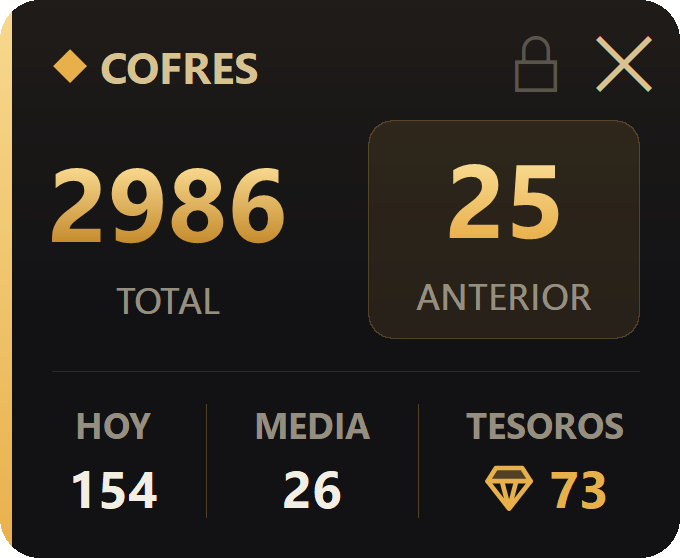
Chest Overlay Only appears while you play and updates after each match.
Built for Fortnite players

Everything Fortnite never shows you

Cofres

Estimation: Don't start at zero

Right after opening, FCT checks your saved replays and public stats to estimate all the chests you've already opened this season.
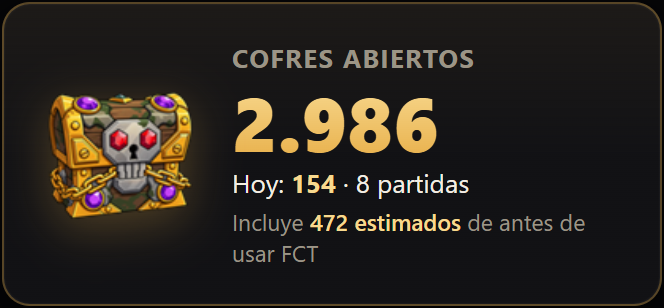

Resumen de estadísticas y estimación
Tesoros

Treasures & Pirate Token

Track the weekly cosmetics you unlock and instantly know if you\
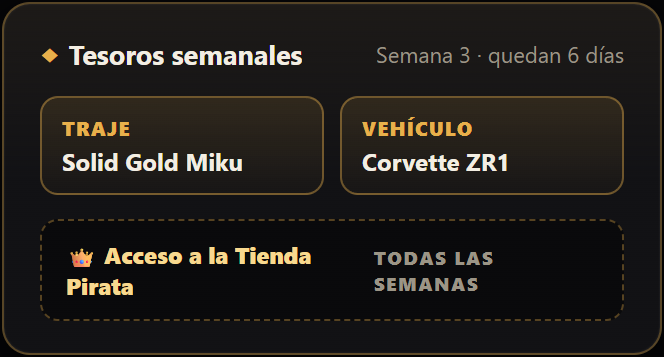
Lista de tesoros conseguidos
Compañeros

Squad Leaderboards

See who loots the most in your squad. FCT breaks down chests opened by each teammate across all your matches together.
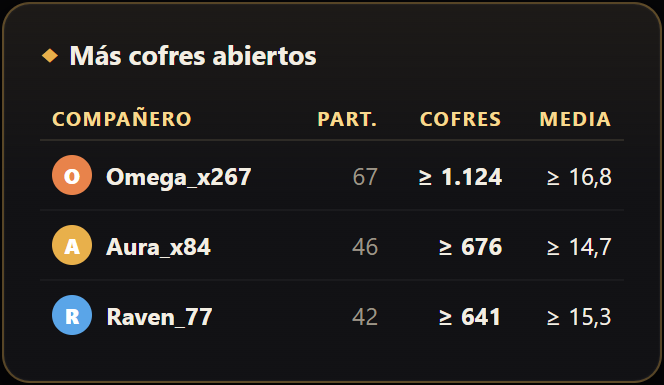
Estadísticas de compañeros de escuadrón
Exclusive to FCT

Who got the featured treasure in your lobby? Now you know.

During the Treasure Hunters event, chests have a chance to grant featured rewards to the whole squad. When your match ends, FCT reveals which opponents opened featured chests nearby.
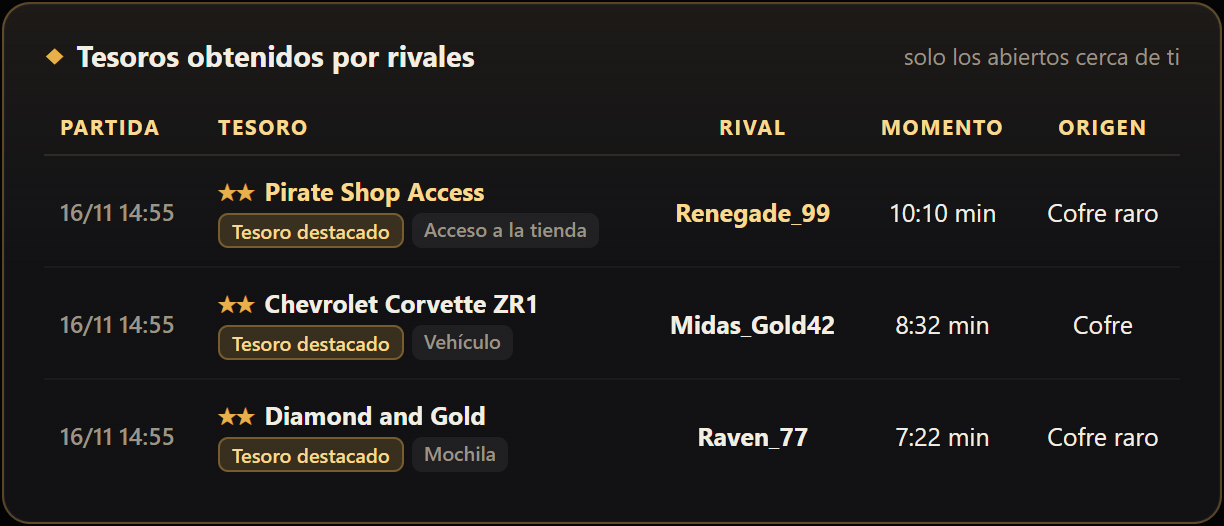
What prize they got: The Pirate Token, solid gold outfits, or vehicles.
Exact match time: Know whether they opened it while fighting you.
Bot or real player: FCT identifies if the lucky finder was an AI bot.
Try it on my next match →
Tabla de tesoros de rivales
Live in-game and post-match

In-Game Overlay & Web Stats Dashboard

Live Overlay

Overlay for Gameplay & OBS Studio

Only appears while Fortnite is running. Drag it anywhere with your mouse, pin it on top of your game, or capture it cleanly in OBS Studio with zero FPS loss.

Overlay de FCT
«Stats» Button in the app

Web Dashboard in your Browser

Click «Stats» inside FCT to open a detailed web dashboard in your browser: day-by-day chest progression chart, full match history, and all unlocked treasures.
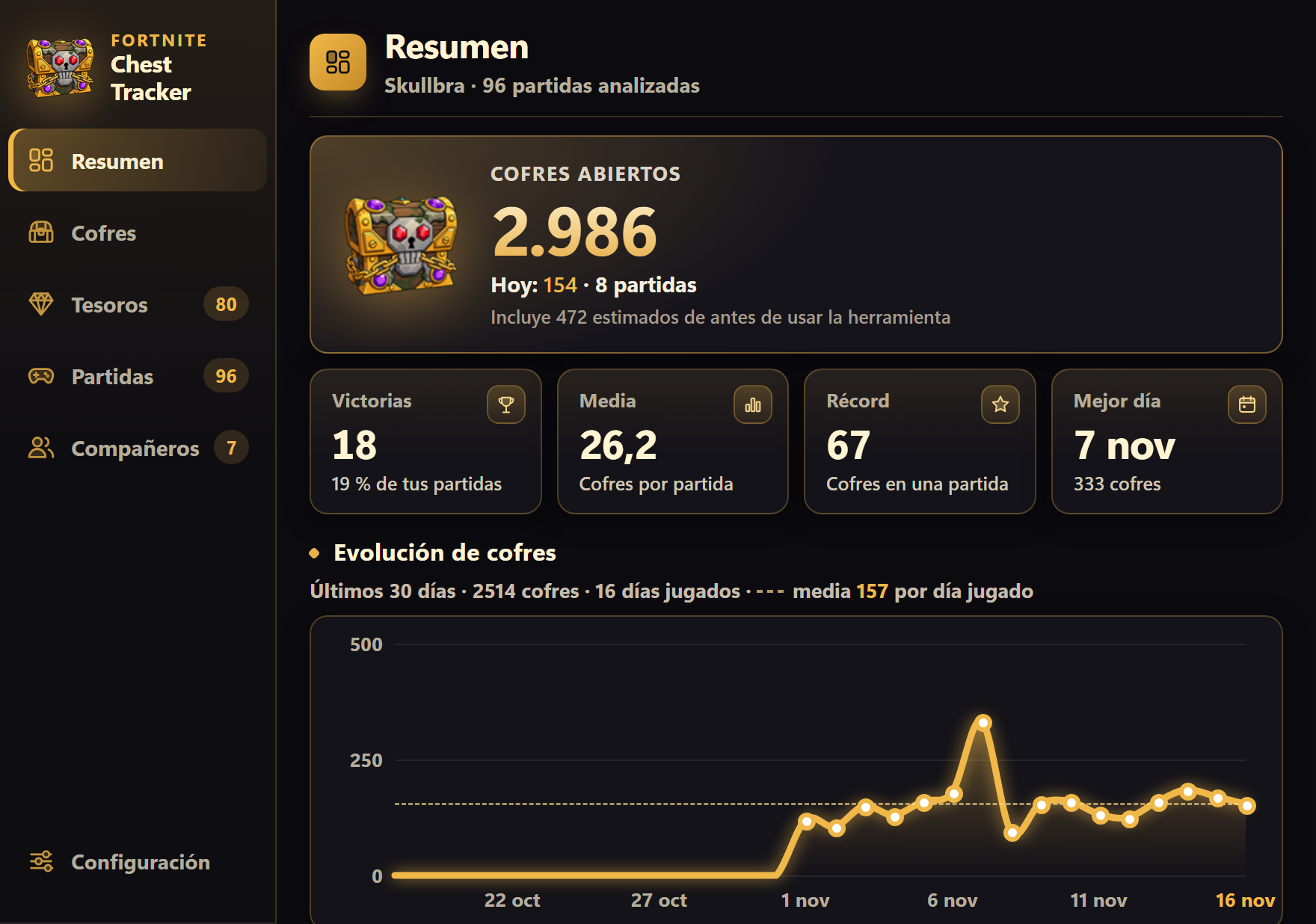
Panel de Estadísticas de FCT
Answers to your questions

Frequently Asked Questions

Can I get banned for using Fortnite Chest Tracker?
No, it is 100% safe. FCT never injects code into the game, modifies memory, or touches Fortnite files. It strictly reads the local replay files and logs that Fortnite itself saves on your PC.
Do I need to install anything on my PC?
No. FCT is a single portable executable (FCT.exe). Just download it, double-click, and you're good to go. No background services, no junk files.
What do I need to turn on inside Fortnite?
Just one setting: make sure replay recording is turned on in Settings → Game → Replays → Record Replays. FCT reads these replays to count your chests and treasures.
Why does Windows show a blue SmartScreen warning on first launch?
This is Windows SmartScreen, standard for any brand-new open-source software until it accumulates thousands of downloads. Simply click \
Cofre con Token Pirata

Start counting your chests today

Download the app in one click, estimate your season progress, and never wonder what treasures were taken in your lobby again.

Download FCT Free for Windows Direct download · Instant start
📦⚡

Your download has started!

FCT.exe is now downloading to your computer.

1
Open FCT.exe with a double-click when the download finishes.
2
If Windows SmartScreen shows a prompt, click More info → Run anyway.
3
Launch Fortnite and play! FCT will count your chests automatically.